Most teams should host Supabase on Supabase Cloud. A small app with a staging project costs $35 a month there, less than any self-hosted setup we priced on November 22, 2026, and daily backups, upgrades and support come with it. Self-host when you have a requirement the platform can't meet: you must own the cloud account, you need a region Supabase doesn't offer, your API services must be private as well as the database, or the bill has grown large enough to pay for the running work. If only the database connections must be private, Supabase Cloud's PrivateLink covers them on the Team and Enterprise plans.
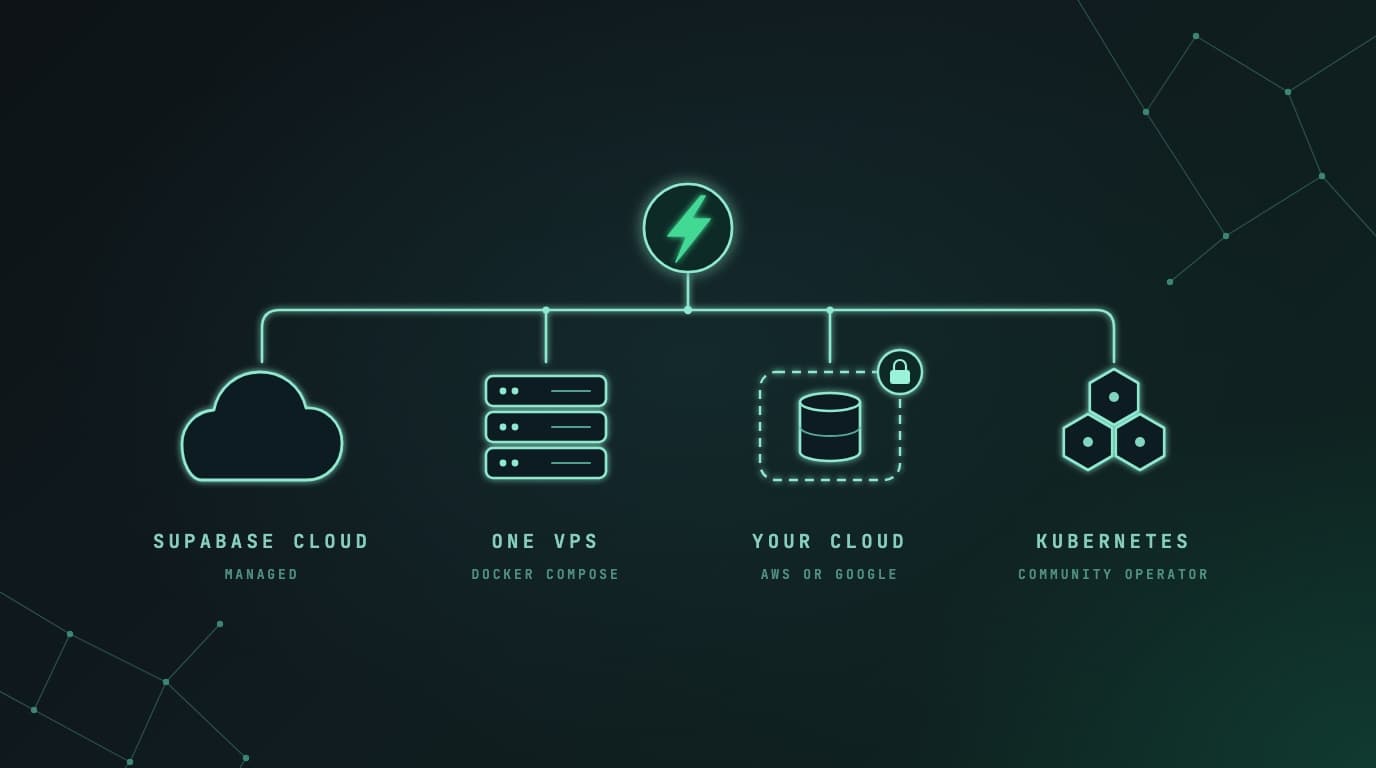
Self-hosting comes in four shapes: one server running Supabase's Docker setup, a host that runs that setup for you, your own AWS or Google Cloud account, or Kubernetes. Supabase's own way to run it inside your AWS account, BYOC, is in early access.
We run self-hosted Supabase in production on Google Cloud, and setting it up is one of our services, so we price these options often. The Supabase Cloud and Google Cloud bills below come from our cost model, the one behind our Supabase pricing calculator. Every other price is from the provider's own pricing page, checked on November 22, 2026, in US dollars, on demand and before tax.
The short version
| Where it runs | Launch | Growing SaaS | Point-in-time recovery in these prices | Who runs it | Suits |
|---|---|---|---|---|---|
| Supabase Cloud | $35 | $437.38 | Included in Growing SaaS, 7 days. Launch has daily backups | Supabase | Most teams, and any team without an owner for database work |
| One VPS: Hetzner or DigitalOcean | $80 to $101 | $114 to $151 | DIY | You | Side projects, and teams at home with Linux and Postgres |
| A managed host: selfhost.dev, Elestio | $44 to $70 | About $72 to $113 | Not offered by the host | The host runs the server | A fixed server bill without patching servers yourself |
| Your cloud account, Postgres on VMs | $117.47 | $230.16 | DIY | You | Owning the account, a region Supabase lacks, or private API services |
| Your cloud account, Cloud SQL or RDS | About $167 | About $332, or $442 with a standby | Included, run by Google or AWS | You, with Google or AWS running Postgres | The same, with managed backups and failover |
| Kubernetes | About $136 | About $252 | DIY | You, plus the cluster | Teams that already run Kubernetes |
| Supabase BYOC | Not public | Not public | Not public | Supabase, in your AWS account | Teams that want Supabase to operate it in their account |
What the recovery column means:
- Included: you can restore the database to a chosen second inside the retention window, and the price covers it. Of Supabase Cloud's $437.38, $100 is 7 days of point-in-time recovery. Cloud SQL's Enterprise edition keeps up to 7 days of logs (Cloud SQL PITR, read November 22, 2026). On Launch, Supabase Cloud keeps daily backups for 7 days.
- DIY: the price includes a bucket for backups, not the work. You set up continuous WAL archiving to it, check that archiving keeps running, and test restores.
- Not offered by the host: selfhost.dev keeps daily whole-server snapshots, the last 7, "rather than Postgres point-in-time recovery" (selfhost.dev). Elestio's docs describe Borg backups of the service's data, kept 7 to 30 days depending on the support plan, and don't mention point-in-time recovery (Elestio backups, both read November 22, 2026). A restore from either loses whatever changed after the last backup.
Launch and Growing SaaS are the first two example setups from How Much Does Supabase Cost?. Launch is one app with 10,000 monthly active users and 100 GB of egress, plus a staging project. Growing SaaS has 150,000 monthly active users, Large compute (2 cores, 8 GB), a 50 GB database, 200 GB of files, 500 GB of egress, 7 days of point-in-time recovery, a staging project and a custom domain.
Self-hosted, we size them the way our model does: two 8 GB servers for Launch, and a 16 GB server plus an 8 GB staging server for Growing SaaS, with files and backups in object storage. Hetzner's prices are for Finland, its cheapest European location. The Cloud SQL and Kubernetes rows start from the Google Cloud setup in Iowa, with Cloud SQL in place of Postgres on the production VM, or with the VMs as nodes in a zonal GKE cluster.
None of these numbers include your team's time. Our model budgets 2 to 4 hours a month to run Launch self-hosted and 4 to 8 for Growing SaaS, for upgrades, restore tests, patches and alerts, at $100 to $150 an hour, and no hours for Supabase Cloud. Under those operating-time assumptions, with the prices listed on November 22, 2026, Supabase Cloud costs least at both sizes: Growing SaaS on selfhost.dev, the lowest self-hosted bill, comes to about $472 to $1,272 a month with the hours added. Those hours are our estimate, not a measurement for each host. The section on when self-hosting costs less shows where the ranking flips, including the cost post's third example, where self-hosting can pay off.
Who runs what
| Supabase Cloud | One VPS | Managed host | Your cloud, Postgres on VMs | Your cloud, Cloud SQL or RDS | |
|---|---|---|---|---|---|
| Servers and OS patches | Supabase | You | The host | You | You, for the services' VM |
| Upgrades | Supabase | You | Depends on the host | You | You for Supabase, Google or AWS for Postgres |
| Backups and PITR | Daily backups, PITR from $100 a month | You | The host's backups, no PITR | You | Google or AWS |
| File storage | Included, 100 GB on Pro | You: local disk or an S3 bucket | The server's disk, or your bucket | You: Cloud Storage or S3 | You |
| Monitoring and logs | Supabase, 7 days of logs on Pro | You | The host, for the server | You | You, with your cloud's tools |
| Support | Supabase: email on Pro, SLAs on Team | Community | The host, for its servers | Community | Community, plus Google or AWS for the database |
Auth email is yours on every option. Supabase Cloud's built-in mail server is for testing: it sends 2 messages an hour, and only to your team's addresses (custom SMTP). Production needs an email provider such as Resend, Postmark or AWS SES, wherever you host.
Supabase Cloud
Each Supabase Cloud project gets its own Postgres instance in one of 17 AWS regions, none of them in the Middle East or Africa (regions). The Free plan costs nothing, with two active projects that pause after a week without activity, and no backups. Pro starts at $25 a month per organization and includes $10 of compute credit, enough for one Micro instance. Team starts at $599 and adds SSO for the dashboard, 14 days of backups, compliance reports and priority support. Compute is billed per project, from $10 a month for Micro to $3,730 for 16XL (pricing). The cost post breaks a bill down line by line.
What the platform adds on top of the open-source stack:
- Branching, at $0.01344 per branch per hour, for preview environments off your production project.
- Managed backups and point-in-time recovery. Daily backups are kept for 7 days on Pro and 14 on Team. Point-in-time recovery is $100 a month per 7 days of retention.
- Many projects in one dashboard, plus advanced metrics, the Management API, ETL, and analytics and vector buckets.
- Log drains, at $60 a month per drain plus usage, and 7 days of logs on Pro.
- Support from Supabase: email on Pro, priority email with SLAs on Team, around the clock on Enterprise.
- A spend cap, on by default on Pro.
- Private database connections over AWS PrivateLink, on Team and Enterprise (below).
It suits almost everyone at the start, and any team without someone who owns database upgrades, restores and alerts. It's also the only option where Supabase answers your support tickets.
Through AWS Marketplace or Vercel
You can buy the same plans through AWS Marketplace: Pro and Team self-serve, and Enterprise as a private offer (AWS Marketplace). AWS bills you, the spend counts toward an AWS commitment, and the spend cap is switched off for those organizations. The Vercel Marketplace does the same for teams on Vercel. Either way, the projects are ordinary Supabase Cloud projects.
Private database connections: PrivateLink
On the Team and Enterprise plans, a project's database can take connections from your AWS VPC over AWS's network instead of the internet (PrivateLink, read November 22, 2026). It covers direct Postgres connections on port 5432 and the dedicated pooler on port 6543, from a VPC in the same region as the project. Once everything that talks to the database uses the private endpoint, you can switch on the network restriction that blocks public database access.
It doesn't cover the rest of the platform. Supabase's docs say the API, Storage, Auth and Realtime "continue to operate over public internet connections". So PrivateLink suits a backend in AWS that queries Postgres directly. Whatever your app does through supabase-js, Auth or Storage still uses public endpoints.
Supabase in your own AWS account: early access
Supabase's BYOC page describes Supabase deployed inside your own AWS account, with Supabase handling deployments, upgrades, monitoring and support, and your negotiated discounts and cloud credits applying. On November 22, 2026, it was a sign-up form for early access when the program becomes available, with no published price. If that's what you need, sign up. If you need it now, it's one of the self-hosted options below.
What every self-hosted option gives up
Every option below runs the same open-source stack, and Supabase's self-hosting docs say what it lacks next to the platform:
- One project per install. Studio doesn't support multiple organizations or projects, and most settings live in environment variables.
- No platform extras: branching, advanced metrics beyond logs, managed backups and point-in-time recovery, analytics and vector buckets, ETL and the Management API.
- Community support. Help comes from GitHub, Discord and Reddit. A host can support its servers, but not Supabase.
Studio's Log Explorer needs Logflare and Vector, which the Docker setup leaves off by default to save memory (Docker guide). Log drains are a platform add-on, so sending logs to your own tools is yours to set up.
The same page lists what becomes yours: the servers, security hardening and updates, service configuration, Postgres maintenance, high availability, backups and disaster recovery, and monitoring. Our production guide goes through each one, with the checklist we use before a self-hosted setup takes traffic.
Supabase on a VPS with Docker Compose
This is Supabase's official self-hosting path: its Docker Compose setup on any Linux server. Supabase lists 4 GB of RAM, 2 cores and 40 GB of SSD as the minimum, and recommends 8 GB, 4 cores and 80 GB or more.
Two common hosts, on November 22:
- Hetzner, in Finland or Germany: the CPX32 (4 vCPUs, 8 GB, 160 GB) is $36.09 a month in Finland and $42.59 in Germany. The CPX42 (8 vCPUs, 16 GB, 320 GB) is $70.09 and $82.59. Both prices include an IPv4 address and 20 TB of traffic (Regular Performance). Object Storage is $7.99 a month for 1 TB stored and 1 TB of egress (Object Storage). In Ashburn and Hillsboro, the 8 GB and 16 GB servers are $74.09 and $142.09.
- DigitalOcean, in any region: a Basic Droplet with 8 GiB and 4 vCPUs is $48 a month, and one with 16 GiB and 8 vCPUs is $96, with 5,000 and 6,000 GiB of transfer included (Droplets). Spaces object storage is $5 a month for 250 GiB and 1 TiB of transfer (Spaces). Droplet backups add 20% of the Droplet's price for weekly, or 30% for daily.
If you priced Hetzner before June, check again. New pricing for new orders and rescales started on June 15, 2026 (Hetzner changelog), and its cheaper Cost-Optimized servers showed as not available on November 22.
With a bucket for backups, Launch comes to $80.17 a month on Hetzner in Finland and $101 on DigitalOcean, and Growing SaaS to $114.17 and $150.52. Traffic is the big difference from the hyperscalers. Both include terabytes, where Google Cloud charges $0.12 per GiB for the first TiB.
You run everything on the list above: upgrades, backups and WAL archiving to the bucket, TLS in front of the gateway, SMTP, monitoring and OS patches. It suits side projects and internal tools, and teams that want a fixed monthly bill and full control of the server, with someone at home with Linux and Postgres.
DigitalOcean also has a Supabase 1-Click. It installs the Docker Compose stack behind Nginx on Ubuntu 24.04, optionally on DigitalOcean's Managed PostgreSQL, and you pay only for the Droplet (1-Click docs). Domain and TLS setup is a script you run, and the running is yours from then on. Its App Platform template, announced in February 2026, deploys Auth, the REST API, Storage and Realtime, without Studio (announcement).
Managed and one-click hosts
Several companies sell managed Supabase hosting: they run the open-source stack for you. They take the server work off your plate, and some take the upgrades too. Everything in the list of what self-hosting gives up still applies, because it's still self-hosted Supabase.
| Host | What you get | Price on November 22 |
|---|---|---|
| selfhost.dev | The full stack on a dedicated server it runs, with TLS, a firewall, health checks and optional daily server backups. You upgrade Supabase and set up SMTP. Backups are whole-server snapshots, not point-in-time recovery | An 8 GB server in Europe is $19.98 a month at most, plus 20% for backups. Traffic is included |
| Elestio | A managed instance on a provider you pick. Elestio says it handles backups, monitoring, and software and OS updates. Its backup docs don't mention point-in-time recovery | From $16 a month. 8 GB is $29.93 on Netcup, $35.04 on Hetzner or $106.58 on DigitalOcean (plans) |
| Sealos | A template on Sealos's Kubernetes cloud, with Postgres run by KubeBlocks | Fixed plans: 8 vCPUs and 16 GiB for $128 a month, or 16 vCPUs and 32 GiB for $512 (pricing) |
| Northflank | A stack template, published in November 2023, on Northflank's cloud or in your own cloud account | 4 vCPUs and 8 GB for $96 a month, or 8 vCPUs and 16 GB for $192 (pricing) |
| Railway | Community templates, billed by the second for what each service uses | About $10 per GB of memory and $20 per vCPU a month, with Pro from $20 a month |
| Coolify | An open-source platform with Supabase as a one-click service, on servers you bring | Free to self-host, or $5 a month on Coolify Cloud for two servers, plus the servers (pricing) |
| Supascale | Software you install on your own servers to deploy and manage Supabase projects, with S3 backups, custom domains and monitoring | A free CLI, or a one-time license of $99, $299 or $799 with a year of updates |
Two of these hosts disclosed security incidents in October 2026 involving the environment variables customers store with them, which is where self-hosted Supabase keeps its database password and API keys (Docker guide).
Railway's preliminary report recommended that every customer who signed up before October 21 rotate the keys stored on Railway. Its incident report of November 10 (read November 22, 2026) says the attacker decrypted variables for at most 1.85% of workspaces, about 100,000, an upper bound because its logs identify environments rather than single variables. It says every attack vector used has been remediated. A specialist forensics firm's investigation is still ongoing.
Northflank's status page told customers on October 30 to assume all environment variables had been decrypted and to rotate every key, and later that day said users had reported unauthorized use of AI API keys stored on its platform. It closed the incident on November 17 with an incident report (read November 22, 2026). An attacker used a previously unknown vulnerability to run code on an API component that held both database access and the keys that decrypt stored secrets. Between 02:41 and 03:08 UTC on October 30, the attacker decrypted secrets and uploaded the ones that matched its filters, such as AI provider keys. The first security alert came at 11:43 UTC, more than eight hours later, and Northflank fixed the vulnerability at 13:05. It says 1.8% of the secret values stored on the platform were taken, from 1.5% of customer teams. Its outside forensics firm validated how it checked the 1.5%. It found no evidence that customer workloads or their data were accessed. Read the report before you choose.
For the example setups, Launch's two 8 GB servers come to $43.96 a month on selfhost.dev, with daily backups on production, and $70.08 on Elestio's Hetzner plans. Growing SaaS needs a 16 GB server and somewhere to keep 200 GB of files: about $72 on selfhost.dev and $113.11 on Elestio, each with a Hetzner Object Storage bucket. Neither price includes point-in-time recovery, which Supabase Cloud's Growing SaaS bill does. On November 22, selfhost.dev's 8 GB and 16 GB x86 servers were sold out in all three of its European locations, and it says availability changes through the day. Its Arm servers of the same sizes, in stock in Helsinki, cost about $25 and $50 a month. On Sealos, Launch fits the $128 plan.
This suits teams that want self-hosted Supabase's fixed server bill without patching servers themselves, and agencies that run Supabase for clients, which Supascale's Agency license is aimed at.
Your own AWS or Google Cloud account
This is the same stack, or the parts of it you use, inside a cloud account you own. Three requirements lead here, and it's worth separating them, because Supabase Cloud meets one:
| Requirement | Supabase Cloud | Self-hosted in your account |
|---|---|---|
| Private database connections | Yes, with PrivateLink on Team and Enterprise, from an AWS VPC in the project's region | Yes. The database can have a private IP only |
| Private Auth, Storage, Realtime and APIs | No. They stay on public endpoints | Yes, if you put them on private addresses. Clients then need a route into that network, such as a VPN |
| Owning the cloud account | No. BYOC, in early access, would run it in your AWS account | Yes, on AWS, Google Cloud or another provider |
It's also the option for a region Supabase Cloud doesn't offer, such as Google Cloud's Doha or Dammam, and you keep your own IAM, audit trail and committed-use discounts.
Private doesn't mean nothing faces the internet. Our open-source Pulumi template, which runs Studio and postgres-meta on Google Cloud, gives Cloud SQL and the Studio VMs no public IP addresses. Its public edge is an Outline VPN server with a static IP, and an external HTTPS load balancer whose Cloud Armor policy returns 403 to every address except the VPN's (README, read November 22, 2026). Postgres is never exposed, and people reach Studio through the VPN.
Postgres on your own VMs
Our model prices this on Google Cloud, in Iowa: $117.47 a month for Launch and $230.16 for Growing SaaS, on e2-standard VMs with files and backups in Cloud Storage. Egress is the line to watch. Google's Premium Tier charges $0.12 per GiB, so Growing SaaS's 500 GB costs $55.88, where Supabase Cloud charges $22.50 for the 250 GB over its quota. AWS lands close, and the cost post compares the two.
You run everything a VPS needs, plus the cloud account around it: networks, firewall rules and IAM.
Managed Postgres: Cloud SQL or RDS
Putting the database on Cloud SQL or RDS hands its backups, point-in-time recovery, patching and failover to Google or AWS. It costs more, and parts of Supabase stop working:
- No superuser. On RDS the postgres user is created with NOSUPERUSER, and AWS says you can't connect as the superuser (RDS roles). Cloud SQL doesn't give you one either.
- Missing extensions. Neither RDS nor Cloud SQL lists pg_net, pg_graphql or Supabase Vault. Database Webhooks need pg_net, and the GraphQL API needs pg_graphql.
- Roles you create. Supabase's services expect roles such as anon, authenticated and service_role, which Supabase's own Postgres image sets up for you.
The FAQ on our GCP post has the Cloud SQL detail. We run Studio and postgres-meta against Cloud SQL, and the Pulumi template above sets that part up, with point-in-time recovery switched on.
On cost, a Cloud SQL Enterprise instance with 2 vCPUs and 8 GB, the size of Supabase's Large, is $101.18 a month in Iowa, or $202.36 with a standby in a second zone. SSD is $0.17 per GiB a month, doubled with the standby (Cloud SQL pricing). Swapped into our model, Growing SaaS comes to about $332 a month, or $442 with the standby, about what Supabase Cloud charges. For Launch, the smallest dedicated-core instance, with 1 vCPU and 3.75 GB, is $49.31, which takes the setup to about $167.
It suits teams that need the database in their own account, with backups and failover they don't run themselves, and that can do without pg_net, pg_graphql and Vault or run those parts on a separate Postgres.
Kubernetes
Supabase's docs point to a community project, supabase-kubernetes, and since November 4, 2026, its way in is the Supabase Kubernetes Operator. Two Helm charts install it, supabase-operator for the controller and supabase-project for each Supabase project, both at 0.8.4 on November 22, 2026, matching the self-hosted Supabase release they target. The project's older supabase Helm chart was deprecated the same day and now gets critical fixes only, and installing the Operator doesn't convert an existing chart install: moving over is a migration you plan yourself (chart README). The project's main README says it's supported by the community, not by Supabase, and that the Operator is at an early stage of development, with an API that may change. The Operator runs the database as a single Postgres instance, and the README doesn't cover replication or failover, so plan high availability yourself.
The nodes cost what the VMs above cost. On a zonal GKE cluster, whose management fee Google's free tier covers with $74.40 of monthly credit, the Launch setup's VMs and a load balancer come to about $136 a month, and Growing SaaS to about $252. A regional cluster, a second cluster or EKS adds $0.10 an hour, about $73 a month (GKE pricing, EKS pricing).
You run everything on the VM list, plus the cluster and its upgrades. It suits teams that already run Kubernetes in production and have someone who owns it. If that isn't you, a VM is less to look after.
When self-hosting costs less
Self-hosting costs less in total when running it takes fewer hours a month than the gap between the two bills divided by your hourly rate. Here is that sum for Growing SaaS, against Supabase Cloud's $437.38, on November 22 prices:
| Self-hosted setup | Monthly bill | Gap to Supabase Cloud | Break-even at $100 an hour | At $150 an hour | Point-in-time recovery |
|---|---|---|---|---|---|
| selfhost.dev | About $72 | About $365 | 3.7 hours | 2.4 hours | Not offered by the host |
| Elestio on Hetzner | $113.11 | $324.27 | 3.2 hours | 2.2 hours | Not offered by the host |
| Hetzner, Finland | $114.17 | $323.21 | 3.2 hours | 2.2 hours | DIY |
| DigitalOcean | $150.52 | $286.86 | 2.9 hours | 1.9 hours | DIY |
| Google Cloud VMs | $230.16 | $207.22 | 2.1 hours | 1.4 hours | DIY |
| GKE, zonal | $252.14 | $185.24 | 1.9 hours | 1.2 hours | DIY |
| Cloud SQL, zonal | $332.22 | $105.16 | 1.1 hours | 0.7 hours | Included |
| Cloud SQL with a standby | $441.90 | $4.52 more | Never | Never | Included |
For selfhost.dev, that's $437.38 minus about $72, divided by $100: 3.7 hours. Our model's budget for Growing SaaS starts at 4 hours, above every row, which is why Supabase Cloud comes out ahead. If the work takes 2 hours a month at $100 an hour, the first five rows cost less than Supabase Cloud. The first two have no point-in-time recovery, though, and the next three only if you set it up. If you don't need point-in-time recovery, compare against $337.38, Supabase Cloud's bill without it: every threshold drops by $100 divided by your rate, an hour at $100 or 40 minutes at $150.
For Launch, nothing crosses. Supabase Cloud's $35 is below every self-hosted bill before anyone's time, the lowest being $43.96 on selfhost.dev. One configuration would change the invoice ranking: Hetzner's Cost-Optimized CX33, listed at $9.99 a month plus $0.60 for an IPv4 address, but shown as not available on November 22. Two of them at $10.59 and a $7.99 bucket would come to $29.17, which is $5.83 under Supabase Cloud. That pays for under 4 minutes of work a month at $100 an hour.
At the cost post's third example, Scale with compliance, Supabase Cloud is $3,895.30 a month and the same setup on Google Cloud is $2,044.61. The $1,850.69 gap pays for 12.3 hours a month at $150, or 18.5 at $100. Our model budgets 10 to 20 hours for a setup that size, so the answer there depends on how long the work really takes.
The same hours apply to every self-hosted row, which is an assumption. A managed host that patches the server may need fewer hours, and Kubernetes more. Put in your own estimate: the calculator does this sum for the Google Cloud setup.
How to choose
Each step names the requirement it answers and the assumption behind it.
- Start on Supabase Cloud unless one of the requirements below applies. On November 22 prices it had the lowest Launch bill even before anyone's time, and it costs least for Growing SaaS if running a self-hosted setup takes 4 hours a month or more, our model's minimum, at $100 an hour or more. It's also the only option with branching and Supabase's own support, and its Growing SaaS price includes 7 days of point-in-time recovery.
- If you have an AWS commitment, buy the same plans through AWS Marketplace, so the spend counts toward it. This assumes you can do without the spend cap, which is off for those organizations.
- If only the database connections must be private, and the code that queries Postgres runs in AWS in the project's region, use PrivateLink on Supabase Cloud's Team or Enterprise plan. This assumes Auth, Storage, Realtime and the API can stay on public endpoints.
- If Auth, Storage and the APIs must be private too, self-host on a private network in your own cloud account. This assumes your clients can reach that network, through a VPN or private routing. Our template shows the pattern for Studio: private IPs, with a VPN server and a load balancer that refuses every address but the VPN's as the only public endpoints.
- If you must own the cloud account, or need a region Supabase doesn't offer, self-host in your own AWS or Google Cloud account. Sign up for BYOC if you'd rather Supabase ran it in your AWS account, which assumes you can wait for early access.
- If the budget is tight and someone can run Linux and Postgres, a VPS or a managed host gives the lowest fixed bill. For Growing SaaS, this assumes the work stays under about 2 to 3.7 hours a month, and that you'll set up point-in-time recovery yourself or can live with restoring to the last backup. A managed host also takes the server patching.
- If you already run Kubernetes, the community Operator fits, as long as you can work with an API that may still change and plan the database's high availability yourself.
- If your Supabase bill is large, price it in the calculator first. In the cost post's largest example, self-hosting saves about $1,850 a month on the invoice, which covers the running work if it takes less than 12 to 18 hours a month. The one-time setup and migration then has to be paid back: at 10 hours a month and $125 an hour, an $8,000 setup takes about 13 months.
Starting on Supabase Cloud doesn't lock you in. Supabase documents restoring a project's database into self-hosted Docker: supabase db dump --remote, pointed at the project's connection string, exports roles, schema and data, including auth.users and RLS policies. Without --remote, version 3 of the CLI, released November 2, 2026, dumps your local database instead. JWT secrets and API keys, OAuth settings, Edge Functions, Storage files, SMTP and custom domains are set up separately, and users sign in again (restore guide).
Frequently asked questions
Can I self-host Supabase for free?
The software is free. Supabase is open source, and its Docker setup runs on any Linux server with at least 4 GB of RAM and 2 cores. You pay for the server: on November 22, 2026, one with the recommended 8 GB cost $19.98 a month on selfhost.dev, $36.09 on Hetzner in Finland and $48 on DigitalOcean. For free hosting, Supabase Cloud's Free plan gives you two projects at no cost, with no backups, paused after a week without activity.
What's the cheapest way to host Supabase?
It depends on the size and on how long the running takes, so there's no single cheapest host. On November 22, 2026 prices, our Launch example, an app with a staging project, cost $35 a month on Supabase Cloud's Pro plan, with daily backups and upgrades included, against about $44 self-hosted before anyone's time. For our Growing SaaS example, self-hosted bills start at about $72 a month against $437.38 on Supabase Cloud, which includes 7 days of point-in-time recovery. Self-hosting comes out cheaper there only if running it takes less than about 2 to 3.7 hours a month at $100 to $150 an hour, and the cheapest hosts don't offer point-in-time recovery. For a side project, Supabase's Free plan costs nothing. Self-hosted, one 4 GB server, Supabase's stated minimum, starts at about $13 a month on selfhost.dev and $16 on Elestio.
Who offers managed self-hosted Supabase?
Elestio, selfhost.dev and Sealos run the open-source stack on servers they manage. Northflank and Railway have templates for their platforms, though both disclosed security incidents in October 2026 involving the environment variables customers store with them. DigitalOcean has a 1-Click Droplet. Coolify and Supascale help you run it on servers you own. They take on the servers to different degrees, but none adds Supabase's platform features, such as branching or managed point-in-time recovery, and support for Supabase itself still comes from the community.
Can Supabase run in my own AWS account?
Yes, if you self-host it there: Docker Compose on EC2, with RDS as the database if you like, or on EKS. Supabase's own option, BYOC, where Supabase runs it inside your AWS account, was an early access sign-up on November 22, 2026, with no published price. Buying Supabase Cloud through AWS Marketplace changes who bills you, and the spend counts toward AWS commitments, but the projects are ordinary Supabase Cloud projects. If what you need is private access from your AWS VPC rather than the account itself, Supabase Cloud's PrivateLink covers database connections on the Team and Enterprise plans.
Can self-hosted Supabase use RDS or Cloud SQL?
Partly. Neither gives you a Postgres superuser, and neither lists pg_net, pg_graphql or Supabase Vault among its extensions. Database Webhooks need pg_net, and the GraphQL API needs pg_graphql. You also create Supabase's roles yourself and check that each service's migrations still run. We run Studio and postgres-meta against Cloud SQL, and the FAQ on our GCP post covers the limits in detail.
Can I run Supabase on Kubernetes?
Yes, with the community supabase-kubernetes project. Since November 4, 2026, it installs Supabase through an Operator, with Helm charts at version 0.8.4, and its older Helm chart is deprecated and gets critical fixes only. Supabase lists it as a community project it doesn't maintain, and its README calls the Operator early stage, with an API that may change. The Operator runs a single Postgres instance, and the README doesn't cover replication or failover, so plan high availability yourself.
Can Supabase Cloud keep traffic off the public internet?
For database connections, yes, on the Team and Enterprise plans. PrivateLink connects an AWS VPC in the project's region to the database and its dedicated pooler over AWS's network, and you can then block public database access. Auth, Storage, Realtime and the API still use public endpoints. To make those private too, self-host on a private network. Checked November 22, 2026.