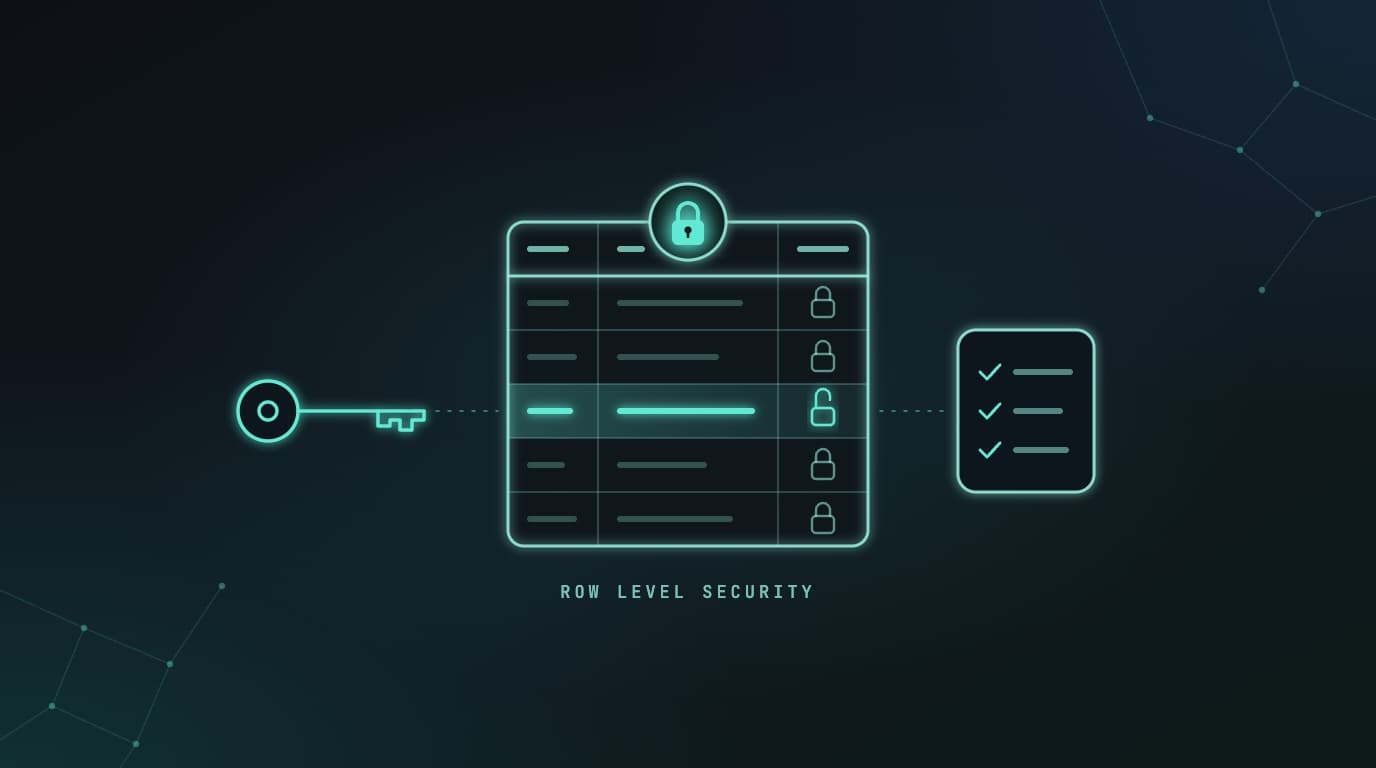
Most of the data in a Lovable app never passes through a server you wrote. The browser asks the database for it directly, through Supabase's API, with a key that's public by design. What decides which rows come back is row level security (RLS), a Postgres feature that attaches rules to each table, such as "users only see rows with their own ID in them". With no rules, or rules that say yes to everyone, the table is open to anyone holding that key.
That has already happened at scale. On March 20, 2025, Matt Palmer and Kody Low found a Lovable-built site whose users table anyone could download. The next day they scanned 1,645 projects from Lovable's showcase and found 303 exposed endpoints in 170 of them, about 10%, leaking users, transactions, subscriptions and some third-party API keys. Palmer published the details on May 29, 2025, and CVE-2025-48757 followed the next day, scored 9.3 out of 10, critical. Lovable disputes it, on the grounds that each customer is responsible for their own app's data.
That's correct, and it's the reason for this checklist.
Lovable's scans have improved a lot since, and its own docs name missing RLS policies as the most common cause of exposed app data. But a scanner sees what your code does, not what you meant. Whether a coach should see every client's notes is a business rule, and only you know it.
These are the 13 checks I'd run before real users and real data arrive, on Lovable Cloud (which Lovable's docs now call the built-in backend) or your own Supabase project. Docs were checked on November 2, 2026, and every query and fix below was run against a scratch Postgres 17 database set up with Supabase's roles.
The checklist at a glance
- RLS is on for every table in
public. - No policy lets everyone through.
- Every policy checks the owner, one per operation.
- Users can't change their own role, plan or credits.
- Views respect RLS.
SECURITY DEFINERfunctions aren't open to everyone.- Private files are in private buckets, behind per-user policies.
- The secret key never reaches the browser.
- Edge functions check who's calling.
- Auth settings are production settings.
- You can restore your data, and you've tried.
- Lovable's Deep scan and Supabase's Security Advisor are clean.
- You've tried to break in yourself.
Before you start
Run the SQL in the SQL editor: More → Database → Manage → SQL editor on Lovable Cloud, or SQL Editor in the Supabase dashboard. The checking queries only read.
Make fixes as migrations. On Lovable Cloud, paste the SQL into the project chat and ask Lovable to apply it, so the change lands in your code under drizzle/migrations/ (or supabase/migrations/ in older projects). SQL run by hand works, but a database rebuilt from those files won't have it, and a move to Supabase starts by replaying them. The table names in the examples are made up.
The checks
1. RLS is on for every table in public
Why it matters. Supabase serves the public schema over its API, so a table there without RLS can be read, changed and deleted by anyone with your project URL and public key. Supabase's Security Advisor rates it an error. Supabase only turns RLS on automatically for tables made in its dashboard. Lovable creates tables through SQL migrations, so check rather than assume.
How to check. This lists tables in public with RLS off, and whether a signed-out visitor (anon) or any signed-in user (authenticated) can reach them:
select
  c.oid::regclass as table_name,
  has_table_privilege('anon', c.oid, 'select') as anon_can_read,
  has_table_privilege('anon', c.oid, 'insert, update, delete') as anon_can_write,
  has_table_privilege('authenticated', c.oid, 'select') as signed_in_can_read
from pg_class c
join pg_namespace n on n.oid = c.relnamespace
where n.nspname = 'public'
  and c.relkind in ('r', 'p')
  and not c.relrowsecurity
order by 1;
You want no rows. Then the opposite case, tables with RLS on and no policies. They're locked, which is safe, but if your app still shows their data, something reads it with the secret key, usually an edge function (item 9).
select c.oid::regclass as table_name
from pg_class c
join pg_namespace n on n.oid = c.relnamespace
where n.nspname = 'public'
  and c.relkind in ('r', 'p')
  and c.relrowsecurity
  and not exists (select 1 from pg_policy p where p.polrelid = c.oid)
order by 1;
How to fix. Turn RLS on and add the policies in the same change, or the feature using the table stops working:
alter table public.orders enable row level security;

create policy "Users read their own orders"
on public.orders for select
to authenticated
using ( (select auth.uid()) = user_id );
If signed-out visitors never need the table, also run revoke all on table public.orders from anon;, as Supabase advises. Grants decide whether a role can touch a table at all. Policies decide which rows.
2. No policy lets everyone through
Why it matters. A policy of using (true) lets the roles it names reach every row. Supabase's advisor warns about always-true policies, and rates it an error when a policy trusts user_metadata, which users can rewrite from the browser in one call. "Any signed-in user" is little better when anyone can sign up, and it includes anonymous users if you've enabled them, because they share the authenticated role.
How to check. This lists policies in public and storage that are always true, trust user_metadata, never check which user is asking, or only check that someone is signed in:
select *
from (
  select
    schemaname || '.' || tablename as table_name,
    policyname,
    cmd,
    roles,
    qual as using_rule,
    with_check as check_rule,
    case
      when qual = 'true' or with_check = 'true'
        then 'allows every row'
      when concat_ws(' ', qual, with_check) ~* 'user_metadata'
        then 'trusts user_metadata, which users can edit'
      when concat_ws(' ', qual, with_check) !~ 'auth\.(uid|jwt)\(\)'
        then 'does not check which user'
      when concat_ws(' ', qual, with_check) ~* 'is not null'
        and concat_ws(' ', qual, with_check) !~ '='
        then 'only checks that someone is signed in'
    end as look_at_this
  from pg_policies
  where schemaname in ('public', 'storage')
) policies
where look_at_this is not null
order by table_name, policyname;
{public} under roles means the policy applies to everyone, signed out included. Not every hit is a bug, since a product catalogue can be public. Ask of each one whether you'd mind a stranger downloading the whole table, because that's what it allows. Policies that call a helper, like is_team_member(team_id), show up as not checking the user, so read the helper.
How to fix. Use owner checks (next item). Keep using (true) for select on tables with nothing private in them. RLS works on rows, not columns, so if a public profile keeps a private email beside the name, move the private columns to their own table.
3. Every policy checks the owner, one per operation
Why it matters. USING decides which existing rows a user can read, update or delete. WITH CHECK decides what an inserted or updated row may look like. Get the second one wrong and users write rows in other people's names: on our test database, an insert policy that only checked the user was signed in let one user file an invoice under another's account. Also:
- Without
WITH CHECK, an update policy appliesUSINGto the changed row too, which is what you want. Withwith check (true), a test user could hand his row to another account. - An update policy needs a select policy beside it, or a normal filtered update quietly changes nothing.
auth.uid()is null for signed-out requests, so addto authenticated. Write it as(select auth.uid())so Postgres works it out once per query rather than once per row, and index the column it's compared with.
How to check. Read each table's policies in More → Database → Manage → Policies on Lovable Cloud, or Database → Policies on Supabase. Supabase recommends one policy per operation, because for all hides which operation each rule was meant for.
How to fix. For data each user owns:
create policy "Users read their own notes"
on public.notes for select
to authenticated
using ( (select auth.uid()) = user_id );

create policy "Users add their own notes"
on public.notes for insert
to authenticated
with check ( (select auth.uid()) = user_id );

create policy "Users edit their own notes"
on public.notes for update
to authenticated
using ( (select auth.uid()) = user_id )
with check ( (select auth.uid()) = user_id );

create policy "Users delete their own notes"
on public.notes for delete
to authenticated
using ( (select auth.uid()) = user_id );
For team data, check membership instead. If the membership table's own policy queries itself, Postgres fails with "infinite recursion detected in policy". Item 6 has the fix.
4. Users can't change their own role, plan or credits
Why it matters. RLS picks rows, not columns. A policy that lets users update their own profile lets them update every column in it, including role, plan or credits. On our test database, one request made an ordinary user an admin on the paid plan. The CVE write-up has the money version: the researchers inserted a record with payment_status set to paid and skipped Stripe. A role kept in user_metadata has the same flaw.
How to check. This finds columns that look like permissions or money and that signed-in users can update, on tables with an update policy. The name match is a guess, so read your tables too.
select c.table_name, c.column_name
from information_schema.columns c
where c.table_schema = 'public'
  and c.column_name ~* 'role|admin|plan|tier|credit|balance|paid|subscription|verified|approved'
  and has_column_privilege('authenticated', format('%I.%I', c.table_schema, c.table_name), c.column_name, 'UPDATE')
  and exists (
    select 1
    from pg_policies p
    where p.schemaname = c.table_schema
      and p.tablename = c.table_name
      and p.cmd in ('UPDATE', 'ALL')
      and p.roles && array['authenticated', 'public']::name[]
  )
order by 1, 2;
How to fix. Keep roles in their own table that the browser can't write to, and change them from server-side code, as Supabase recommends. Only your payment webhook should write payment status. For columns that have to stay on a table users can edit, limit which columns they can update:
revoke update on table public.profiles from anon, authenticated;
grant update (display_name, avatar_url) on table public.profiles to authenticated;
If the app saves the whole profile object, that save now fails with a permission error, which shows you where to look. Authorization data in the sign-in token belongs in app_metadata, which users can't change.
5. Views respect RLS
Why it matters. A view runs with its owner's rights unless told otherwise, and on Supabase the owner is usually postgres, which skips RLS. On our test database, a signed-out visitor could read no payments from the table and all of them through a summary view built on it. Supabase's advisor rates this an error.
How to check.
select
  c.oid::regclass as view_name,
  has_table_privilege('anon', c.oid, 'select') as anon_can_read,
  has_table_privilege('authenticated', c.oid, 'select') as signed_in_can_read
from pg_class c
join pg_namespace n on n.oid = c.relnamespace
where n.nspname = 'public'
  and c.relkind = 'v'
  and coalesce(array_to_string(c.reloptions, ','), '') !~* 'security_invoker=(true|on|yes|1)'
order by 1;
How to fix. Make the view run as the person querying it. This needs Postgres 15 or later:
alter view public.payment_totals set (security_invoker = true);Materialized views can't do this and ignore RLS entirely. Keep them out of public, or run revoke select on public.your_view from public, anon, authenticated;.
6. SECURITY DEFINER functions aren't open to everyone
Why it matters. A security definer function runs as its owner, usually postgres, so it skips RLS. Every function in public can be called over the API at /rest/v1/rpc/ followed by its name, and Postgres lets every role run new functions by default. One endpoint in the 2025 scan was an RPC called get_gemini_api_key. On our test database, a signed-out request used one such function to read a secret from a schema it couldn't otherwise touch.
How to check.
select
  p.oid::regprocedure as function_name,
  pg_get_userbyid(p.proowner) as runs_as,
  has_function_privilege('anon', p.oid, 'execute') as anon_can_call,
  has_function_privilege('authenticated', p.oid, 'execute') as signed_in_can_call,
  coalesce(array_to_string(p.proconfig, ', '), 'no search_path set') as settings
from pg_proc p
join pg_namespace n on n.oid = p.pronamespace
where n.nspname = 'public'
  and p.prosecdef
  and not exists (
    select 1 from pg_depend d where d.objid = p.oid and d.deptype = 'e'
  )
order by 1;
How to fix. Decide, function by function, who should call it.
- Not the browser:
revoke execute on function public.get_openai_key() from public, anon, authenticated; - It doesn't need to skip RLS:
alter function public.list_my_orders() security invoker; - A helper your policies call, like a role or team check: move it to a schema the API doesn't expose, pin its
search_pathand grant it to signed-in users only. Don't just revoke it fromauthenticated: policies run as the user, so they'd start failing.
This is Supabase's own pattern, and it also fixes the recursion from item 3:
create schema if not exists private;

create function private.my_team_ids()
returns setof bigint
language sql
stable
security definer
set search_path = ''
as $$
  select team_id from public.team_members
  where user_id = (select auth.uid())
$$;

revoke execute on function private.my_team_ids() from public;
grant usage on schema private to authenticated;
grant execute on function private.my_team_ids() to authenticated;

create policy "Team members read team projects"
on public.projects for select
to authenticated
using ( team_id in (select private.my_team_ids()) );
And don't keep third-party API keys in a table for the browser to fetch. That's what secrets and edge functions are for.
7. Private files are in private buckets, behind per-user policies
Why it matters. A public bucket serves any file to anyone with its URL, and its policies only cover uploads, deletes and moves. A private bucket goes through RLS on storage.objects, and a policy that only checks the bucket's name lets every signed-in user read every file in it. On our test database, one user listed another's passport.pdf that way. A public bucket with a broad select policy also lets anyone list its files, which Supabase's advisor flags. Lovable Cloud makes buckets private and blocks public ones by default, through a workspace setting called Block public storage buckets, but an admin can turn that off.
How to check. Item 2's query covers the storage policies. This lists your buckets, public ones first:
select id, public, file_size_limit, allowed_mime_types
from storage.buckets
order by public desc, id;
How to fix. Keep each user's files in a folder named with their user ID, and check it:
create policy "Users read their own documents"
on storage.objects for select
to authenticated
using (
  bucket_id = 'documents'
  and (storage.foldername(name))[1] = (select auth.uid()::text)
);
Uploads need the same check in an insert policy. To make a bucket private, run update storage.buckets set public = false where id = 'documents';, use the bucket's settings in the Supabase dashboard, or on Lovable Cloud ask Lovable. A public bucket doesn't need a select policy for its URLs to work, so drop any broad one, and serve private files through signed URLs, which expire.
8. The secret key never reaches the browser
Why it matters. The publishable key (sb_publishable_..., or the legacy anon key) is meant to be public and only reaches what your policies allow. The secret key (sb_secret_..., or the legacy service_role key) skips RLS completely and must never be in a browser, a shipped app or source control. Supabase is retiring the legacy keys by the end of 2026.
Lovable's defaults are good: secrets are encrypted, can't be read back and only go to server-side code, and keys pasted into the chat are saved as secrets. The weak spot is .env. Every VITE_ value is built into the JavaScript your visitors download, and Lovable commits .env to the repository on purpose. Fine for VITE_SUPABASE_URL and VITE_SUPABASE_PUBLISHABLE_KEY, a leak for anything secret.
How to check.
- In the code:
grep -rnE "sb_secret_|service_role|sk_live_" --exclude-dir=node_modules .(sk_live_is how Stripe's live secret keys start). - On the live site: search all loaded files in your browser's developer tools for
sb_secret_andservice_role. - A legacy key starts with
eyJ. Paste this into the browser console with your key in place ofKEY. It should printanon:
JSON.parse(atob("KEY".split(".")[1].replace(/-/g, "+").replace(/_/g, "/"))).role;How to fix. A secret key that was ever in the browser or the repository is leaked. Fix the cause, then create a new secret key, move everything to it, and delete the old one or deactivate the legacy keys, as in Supabase's rotation guide. Lovable manages the keys on Lovable Cloud and its docs don't cover rotating them, so ask Lovable's support. Rotate other providers' keys, such as Stripe's, with the provider.
9. Edge functions check who's calling
Why it matters. Every edge function has a public URL. Supabase checks for a valid token before the function runs unless you turn that off, but the check also accepts your public key, so on its own it proves nothing about the caller. Meanwhile, Lovable puts SUPABASE_SERVICE_ROLE_KEY in every function's environment, and a function that queries with it without filtering by the caller returns everyone's rows. The 2025 scan found functions such as get-google-maps-token answering anyone.
How to check.
- In
supabase/config.toml, list the functions withverify_jwt = false. Each should check a provider's signature, such as Stripe's, or be meant for the public, like a health check. - In each function under
supabase/functions/, check that it reads the signed-in user, returns a 401 without one, and filters every query it makes with the secret key by that user's ID. - Call each function as a stranger would. If you get data back, so will they:
curl -i -X POST "https://YOUR-PROJECT.supabase.co/functions/v1/FUNCTION-NAME" \
  -H "apikey: YOUR-PUBLISHABLE-KEY" \
  -H "Authorization: Bearer YOUR-PUBLISHABLE-KEY" \
  -H "Content-Type: application/json" \
  -d '{}'
How to fix. Ask Lovable to make each function verify the user and limit its queries to them. Supabase's @supabase/server package does both: withSupabase({ auth: 'user' }) rejects calls without a valid user and hands the function a client bound by that user's policies. Webhooks keep verify_jwt = false and check the provider's signature. Lovable apps built on TanStack Start since May 2026 also have server functions and API routes, which need the same checks.
10. Auth settings are production settings
On Lovable Cloud these live in More → Users → Settings. On your own Supabase project, they're under Authentication.
- Email confirmation is on. Otherwise anyone can sign up with an address they don't own. Lovable's Supabase guide says to turn it off while testing and back on before launch, which is the step that gets forgotten. On Lovable Cloud, Auto-confirm email should be off.
- Leaked password protection is on. It rejects passwords found in Have I Been Pwned's data on leaks. On Lovable Cloud it's Password HIBP check. On Supabase it needs the Pro plan or above.
- Passwords are at least 8 characters. Lovable allows 6, and Supabase advises against anything under 8.
- Redirect URLs are exact. Set the site URL to production, not
localhost. Every redirect URL is somewhere Supabase may send a user's sign-in link, so list only the ones you use, with exact paths in production rather than**wildcards, as Supabase recommends. Lovable Cloud updates the site URL when you publish. Your own Supabase project doesn't. - Limits fit real traffic. Supabase's built-in email sender allows 2 auth emails an hour, so production needs your own SMTP, and sign-ups and sign-ins default to 30 requests per 5 minutes per IP address. On Lovable Cloud, the email limit is under Advanced. If bots find your sign-up form, Supabase supports hCaptcha and Cloudflare Turnstile.
- Anonymous sign-ins are off unless you use them. Anonymous users share the
authenticatedrole, so every "any signed-in user" policy lets them in. - Internal tools have sign-up turned off. Lovable Cloud has a Disable sign-up switch.
11. You can restore your data, and you've tried
Why it matters. A bad migration or a careless delete policy loses data as surely as an attacker does.
| Lovable Cloud | Supabase Free | Supabase Pro | |
|---|---|---|---|
| Automatic backups | Daily, about 14 days kept | None | Daily, 7 days kept |
| Point-in-time recovery | No, daily restore points only | No | Add-on from about $100 a month for 7 days, on Small compute or larger |
| Files in storage | Not in backups | Not in backups | Not in backups |
Supabase's Team plan keeps 14 days and Enterprise up to 30. A Lovable restore can't be undone and rolls the schema back too. Deleting a Supabase project deletes its backups.
How to check. Look under More → Database → Manage → Backups on Lovable Cloud, or Database → Backups on Supabase. Then restore one somewhere safe and run the app against it. An untested backup is a rumour.
How to fix. Keep your own copies. Lovable Cloud exports the whole database, users and password hashes included, once every 24 hours for databases up to 15 GB. Download storage files separately, and guard both like the production data they are. On your own Supabase project, turn on point-in-time recovery once losing a day of data would cost more than the add-on.
12. Lovable's Deep scan and Supabase's Security Advisor are clean
- In Lovable, open More → Security and run the Deep scan. It's free, usually takes 3 to 13 minutes, and doesn't run when you publish. Fix the Critical findings, then reread the ignored ones. Someone ignored each of them for a reason, possibly you at 2 a.m.
- Have a workspace admin turn on Block publishing with critical issues in Workspace settings → Security → Privacy & security. It's off by default, except on new Enterprise workspaces Lovable creates.
- On your own Supabase project, work through Advisors → Security, or run
supabase db advisors. It covers most of items 1 to 7.
Neither replaces the rest of this list. The next section explains why.
13. You've tried to break in yourself
Why it matters. Policies are easy to misread, and Supabase's RLS guide says you don't know they work until tests prove it. The 2025 researchers needed nothing more than their browser's network tab.
How to check. Make two test accounts, A and B. As A, create some records and upload a file. Then:
-
Signed out, request each table with only the public key. Your project URL and publishable key are in
.env. You want[]or a permission error, not rows.curl "https://YOUR-PROJECT.supabase.co/rest/v1/orders?select=*" \ -H "apikey: YOUR-PUBLISHABLE-KEY" -
As B, repeat with B's access token, which is in the browser's local storage under a key ending in
-auth-token. Add-H "Authorization: Bearer B-ACCESS-TOKEN"and filter on A's ID, such as?user_id=eq.A-USER-ID. Then try changing one of A's rows, and B's ownrole. -
Open A's file URLs as B, and again signed out.
-
Call each edge function as in item 9.
On your own Supabase project, make this permanent with a test file per table, run by supabase test db, which Supabase's RLS guide now treats as part of securing a table.
What Lovable's built-in scan covers, and what it doesn't
Lovable has two scans, and both are free. This is what its security docs said on November 2, 2026:
| Quick scan | Deep scan | |
|---|---|---|
| When it runs | On every publish, and when you ask | When someone starts it or asks Lovable to review security, or on a schedule on Enterprise plans |
| How long it takes | Seconds | Usually 3 to 13 minutes, at most 15 |
| What it reads | Database rules and settings, npm dependencies, MCP servers | Everything the Quick scan reads, plus all your application code |
| What it looks for | Tables without RLS, rules that let everyone through, storage rules, leaked-password protection turned off, critical dependency vulnerabilities, an MCP server open without sign-in | Users reaching data that isn't theirs, endpoints anyone can call, injection, secrets in code, payment and sign-in flaws, personal data in errors and logs |
That covers a good part of this list. Going by the same docs, here's what it doesn't do:
- It doesn't attack the running app. Both scans read code and configuration. For a test against the live app, Lovable points to an AI penetration test through Aikido, billed by Aikido.
- The code review is opt-in. In most apps, publishing runs only the Quick scan, and critical findings block publishing only if an admin turns that on. Even then the block goes by the latest results, however old, and Lovable says passing it doesn't prove the app is secure.
- Only critical dependency vulnerabilities become findings. High and medium ones stay in the dependency list.
- Auto-fix is narrow. It takes on a few critical Quick scan findings, never Deep scan ones, and it's off by default.
- Results go stale. They belong to one version of your code, and "No issues found" only means the last scan found nothing.
- Personal data scanning needs an Enterprise plan and only covers the built-in backend.
- Some of this list isn't mentioned. The docs don't list backups, email confirmation, redirect URLs or rate limits among the checks.
- It can't know your rules. It can spot a table anyone can read. It can't know which clients each coach should see.
In May 2025, the CVE researchers wrote that the scan Lovable had launched a month earlier only checked that some policy existed, not that it was right. Today's scans go well beyond that, but Lovable's own settings still describe its automated database checks as "Not a full audit," and its docs recommend a professional review for apps that handle sensitive data. Fair enough.
When to move off Lovable Cloud
Lovable Cloud is a sensible place to start: Supabase's open-source stack, run by Lovable, with nothing to set up. Teams move when they need something only their own Supabase project gives them, when data has to live somewhere specific, or when the bill gets big enough to matter.
To your own Supabase project
You get your own account and bill, the full Supabase dashboard with its Security Advisor, point-in-time recovery, branching to test migrations, network restrictions and, on the Team plan with the paid HIPAA add-on, a BAA for health data. Lovable keeps building against it. You give up some of Lovable's conveniences: the in-editor database, user and storage views, its daily backups and restores, auth settings from the chat (including managed Google sign-in and SAML), testing your app as a signed-in user, personal data scanning, auth emails from your own domain, and built-in payments on older apps.
Move when you need one of those, when a developer needs direct access, or when you want the account in your company's name.
To self-hosted Supabase
Self-host when the data has to stay where the hosted options don't go, when a contract needs the database inside your own cloud account on a private network, or when the numbers say so at scale. Supabase Cloud has 17 AWS regions and none in the Middle East. Lovable Cloud offers the Americas, Europe and Asia Pacific, plus some country regions for Enterprise on request. Our pricing calculator compares Supabase Cloud with self-hosting for your own usage.
We run self-hosted Supabase on Google Cloud for Hexis, our GCP series explains how we set it up, and our open-source template runs Supabase Studio on Google Cloud. Self-hosting changes who runs the servers, not who writes the policies. Lovable's guide lists what you take on: backups, patches, upgrades, monitoring, and designing and enforcing RLS. Everything above still applies, plus a production checklist of its own.
The move is manual
There's no one-click migration between Lovable Cloud and a Supabase project, in either direction, and moving from Supabase to Lovable Cloud isn't supported at all. Lovable's guide runs roughly like this:
- Create the Supabase project and apply your migration files in their recorded order.
- Restore Lovable's database export. It includes users and their password hashes, so passwords keep working.
- Copy storage files into matching buckets, since the export doesn't include them.
- Set up sign-in providers, redirect URLs and secrets again, deploy edge functions with the Supabase CLI, and replace any AI features or connectors that run through Lovable.
- Point a test deployment at the new project, check everything, then switch.
Records written after the export aren't in it, so the final copy needs a pause in writes, and Lovable allows one export every 24 hours. Users signed in at the switch have to sign in again. It's all much easier before you have real users, which is why Lovable suggests deciding early.
If you'd rather not do this yourself
Working through this list is what our fixed-price code audit is for, and Lovable-built apps are in scope. In two weeks I review one product's code, its RLS policies and its cloud setup, rank every risk with the effort to fix it, and walk your team through a 90-day plan. It's from $5,000, agreed in writing before we start. It isn't a penetration test or a compliance audit.
Frequently asked questions
What is Lovable Cloud?
Lovable's built-in backend: a database, sign-in, file storage, edge functions and AI features that Lovable hosts for you and bills in credits. It's built on Supabase's open-source stack, and Lovable's docs now call it the built-in backend. Its region (Americas, Europe or Asia Pacific) is set when it's enabled and can't be changed.
Does Lovable use Supabase?
Yes, in two ways. Lovable Cloud runs on Supabase's open-source stack, managed by Lovable, or you can connect a Supabase project you own and manage it in Supabase's dashboard. Either way, Supabase's row level security policies protect your data, and there's no automatic migration between the two.
What is row level security in Supabase?
A Postgres feature that attaches rules, called policies, to a table. Each one decides which rows a request may read or change, usually by comparing a column like user_id with auth.uid(), the signed-in user's ID. Supabase serves tables straight to the browser, so RLS is what keeps each user to their own rows.
Is the Supabase anon key safe to expose?
Yes. The publishable key (sb_publishable_...) and the legacy anon key are meant to be public, and they only reach what your RLS policies allow. The secret key (sb_secret_...) and the legacy service_role key skip RLS entirely and must never reach a browser or a repository.
Is Lovable secure enough for production?
It can be, but your app's data is your responsibility, which is Lovable's position too. It gives you RLS, encrypted secrets, private file storage by default and two security scans. Whether your policies match who should see what is something only you can check, so work through this checklist before launch.
Does Lovable's security scan find every problem?
No, and Lovable says so. Its docs describe the scans as catching common issues without guaranteeing security, and recommend a professional review for apps with sensitive data. The Quick scan runs on every publish. The Deep scan, which reads your code, only runs when someone starts it.
How do I move from Lovable Cloud to my own Supabase project?
By hand. Export the database from Lovable, which includes users and their password hashes, apply your migration files to a new Supabase project and restore the export. Then copy storage files, set up secrets and sign-in again, deploy edge functions with the Supabase CLI and point the app at the new project. Signed-in users have to sign in again. Lovable's guide has the steps.